Managing Customer WhatsApp Inquiries for Local Pharmacy Owners
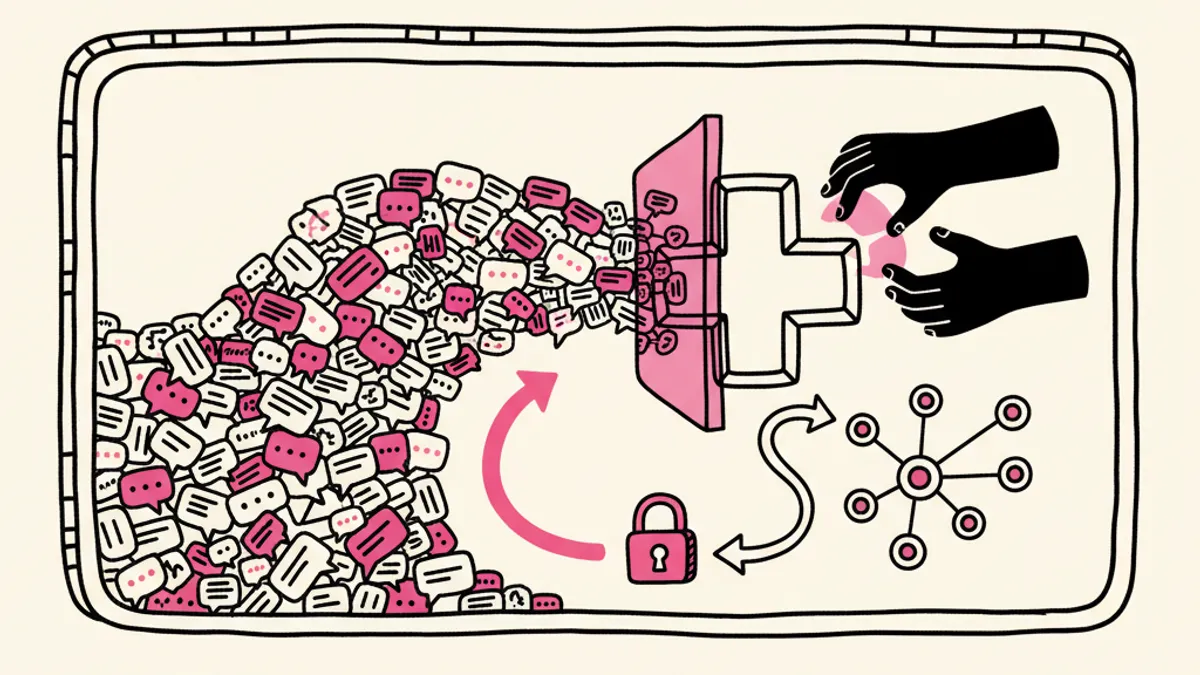
The dispensing counter is busy at 4:15 pm on a Tuesday. Your main terminal is processing a complex insurance claim, a patient is waiting for a consultation, and your phone vibrates with 18 unread WhatsApp messages. When you opened a WhatsApp Business account, the goal was to offer better access to your community. Instead, you created a new inbox that demands constant attention. You find your pharmacists pulled away from clinical work to answer repetitive questions about opening hours, stock availability, and prescription readiness. Managing these messages manually simply does not scale for an independent operator.
why local pharmacies get overwhelmed by conversational chat channels
Customers treat instant messaging differently than traditional phone calls or emails. When a patient calls your shop, they understand they might have to wait on hold if the staff is busy helping someone else. When they send a message on WhatsApp, they expect an immediate response regardless of the time of day. We have seen local owners receive messages at 11:30 pm on a Sunday asking if a specific brand of children's cough syrup is in stock.
This expectation of instant gratification creates a massive operational bottleneck. Managing pharmacy WhatsApp business accounts typically falls on the shoulders of the owner or the lead pharmacist. These are highly trained professionals who should be spending their expensive hours consulting with patients and managing clinical operations. Instead, they are typing out the same reply about holiday opening hours for the twelfth time in a single afternoon.
The problem compounds when you actively market your business. A local pharmacy in Brighton looking to improve their Brighton local pharmacy SEO might add a WhatsApp widget directly to their Google Business profile or website to increase conversion rates. This tactic works incredibly well to drive engagement, but it also opens the floodgates. Without a system to filter and manage the incoming volume, the resulting backlog of unread messages creates a poor customer experience and adds unnecessary stress to your daily operations.
setting clear boundaries for patient data privacy and communication laws
Before you implement any automated patient communication tools, you must address the regulatory environment surrounding health data. You cannot treat a pharmacy chat channel the same way a retail clothing store treats their customer service inbox. Patients will naturally try to send sensitive information, including photographs of their ailments, lists of their current medications, or detailed personal health histories.
Standard WhatsApp messages are end-to-end encrypted, but the moment those messages hit a business API or a third-party software platform, you are responsible for how that data is stored and processed. You must set immediate, strict boundaries the moment a patient initiates a conversation. The first reply a patient receives should clearly state that the channel is for general inquiries and administrative support only.
You need to require explicit consent before discussing any prescription details. If a patient asks about a specific medication, your workflow must include a disclaimer reminding them not to share sensitive medical images or financial information over chat. We advise owners to configure their systems to automatically delete chat histories after a set period, minimizing the risk of storing protected health information longer than necessary. By establishing these rules upfront, you protect your license and set the correct expectations for the patient regarding what the chat channel can actually accomplish.
step by step configuration of instant verification message triggers
To stop your staff from manually verifying every patient who asks about a prescription, you need to build a structured verification flow. This process relies on instant message triggers that fire the moment a specific keyword is detected in the chat.
First, you must connect your WhatsApp Business account to a platform capable of recognizing intent. When a patient types a phrase like "is my script ready" or "prescription status", the system should immediately reply with a standard verification prompt. This prompt must ask for two distinct pieces of non-sensitive identifying information. Typically, we recommend asking for the patient's date of birth and their internal order number or the last four digits of their phone number.
Second, the system needs to cross-reference these two pieces of data against your pharmacy management software. If the data matches, the system can safely pull the status of the order. If the order is ready, the trigger sends a confirmation message along with your current opening hours. If the order is still processing, the system informs the patient and asks if they would like to receive a notification when it is complete.
Third, you must build a failure state. If the patient enters the wrong date of birth twice, the system must stop asking and place the chat into a manual review queue. This prevents frustration and ensures that legitimate patients who simply made a typo are not locked out of communicating with your team.
standardizing common answers for location, hours, and script updates
The vast majority of the messages hitting your phone do not require a pharmacist's expertise. Patients want to know if you are open on a bank holiday, if you carry a specific brand of over-the-counter allergy medication, or where they can park when they arrive. Pharmacy customer service automation is highly effective precisely because these inquiries are predictable and repetitive.
To automate these responses accurately, you must build a comprehensive knowledge base. This is a single document containing all the standard operating procedures, policies, and factual details about your business. You need to write down exact answers for every common question your staff fields during a typical week. Include your regular hours, holiday exceptions, delivery radiuses, and accepted insurance networks.
When we deploy Iris for a local business, we feed our customer service AI this exact documentation. The AI uses this knowledge base to answer questions naturally in real time. If a patient asks if you have a parking lot, the system replies instantly with instructions on where to park and reminds them to bring their ticket inside for validation. By standardizing these answers, you guarantee that every patient receives the exact same accurate information, completely eliminating the need for your staff to type out routine replies while they are trying to manage the dispensing queue.
handing off complex medical queries safely to qualified staff
Automation is a powerful tool for administrative tasks, but it has no place in clinical decision making. Your message management system must be intelligent enough to recognize when a patient is asking a medical question and step out of the way immediately.
Consider a scenario where a patient messages you to ask if they can take a generic ibuprofen with the new blood pressure medication you dispensed to them yesterday. An automated system must never attempt to answer this question, even if the answer seems obvious. The liability risks are simply too high. Instead, the system must detect keywords related to drug interactions, side effects, or symptoms, and immediately trigger an escalation protocol.
The escalation protocol should acknowledge the message and inform the patient that their question requires a pharmacist's review. The system then routes the chat directly to a priority inbox that your duty pharmacist monitors. You can configure this handoff to send an internal alert, ensuring the pharmacist knows a clinical question is waiting. This clear division of labor allows the automated system to clear away the administrative clutter, leaving your highly trained staff with a quiet, focused inbox containing only the complex medical queries that actually require their professional expertise.
---
Managing a local pharmacy requires your full attention on patient care, not endless message notifications. Iris is our customer service AI designed to handle these repetitive inquiries, verify prescription statuses, and route complex medical questions to your pharmacists automatically. If you want to stop answering the same ten questions every day, book a call to see how our AI hires work during two free weeks.